
WebsiteDashboardFeedback Board Contact us
DocumentationDeveloper Documentation
Getting started
InstallationFirst steps
Migration zu hostware
Customer portal
Login und Registrierung
Customers
Customers
Customer groupsDSGVO / GDPR
Hosting
Active hostings
Hosts
Products
IP Adress management
Domains
IntroductionGetting startedSettingsDomain Sync
DNS Templates
Nameserver Sets
TLD pricing
DNSSEC
Troubleshooting & Questions
Contents
Introduction
Newsletter
Letter sending
Announcements
Modules
Introduction
Hosting / Provisioning
Payments
Domains
SSL
Invoicing
Other
Billing
Orders
Invoices
Payments
PromotionsAffiliate
Services / Contracts
Countries and taxes
Support
Tickets
TicketsDepartmentsExternal ticket systemInternal NotesPredefined repliesTicket automationsTicket snippets
Knowledge base
Troubleshooting & Questions
System & Configuration
Settings
hostware Update
Sales channels
Filtering
Troubleshooting & Questions
Troubleshooting
HostingsCustomers
Billing
System
Tickets

Predefined replies

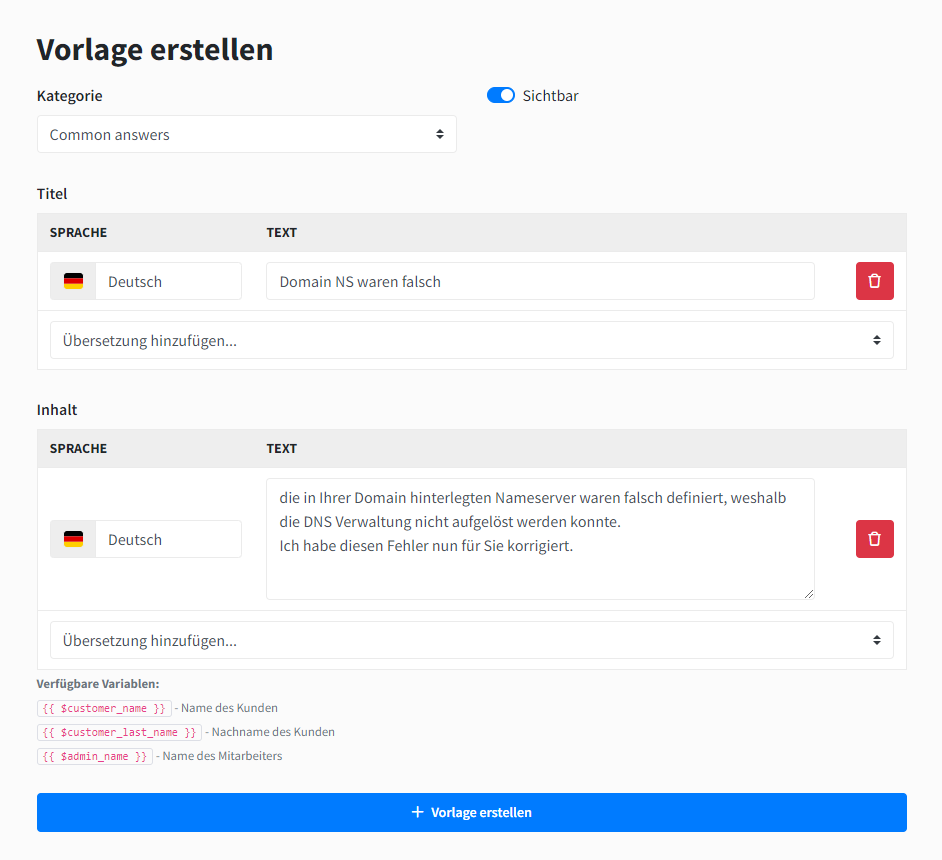
Templates can save you time when sending repetitive replies. To do this, first create a template group and then a template. Define a name and the text you want to send.
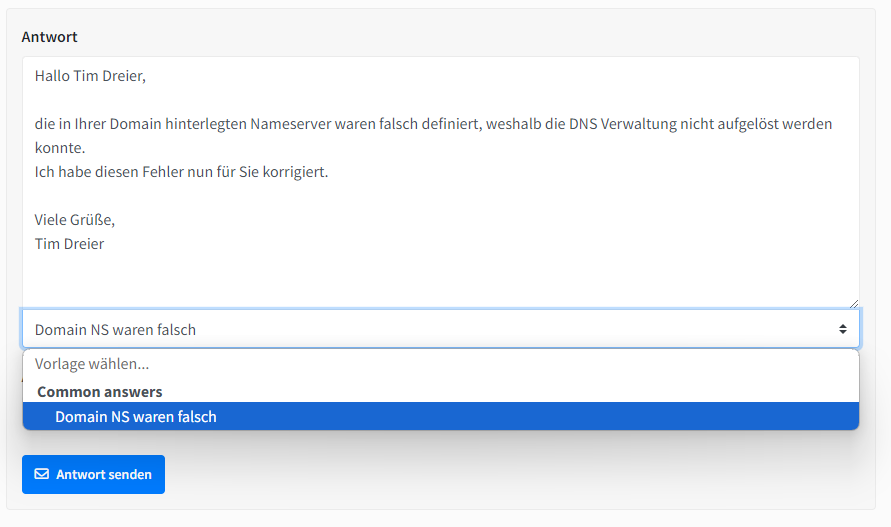
You now have the option to select this template when processing a ticket. The text of the template is linked to the signature stored in the admin area, so there is no need to add a greeting or closing in the template. The language of the customer is also respected.
Was this helpful?
Was this helpful?