
Knowledge bases
Hostware's knowledge base system helps your customers find answers before they open a support ticket. When a customer starts creating a ticket, Hostware recommends relevant articles from your internal knowledge bases. You can also connect an external knowledge base to extend these recommendations.
What are knowledge bases?
A knowledge base in Hostware is a structured collection of help articles organized by topic. The system has three layers:
Knowledge base types — the top-level collections that group related content
Categories — sub-topics within each knowledge base
Articles (entries) — the actual help content that customers see
How recommendations work
When a customer creates a support ticket in the storefront, Hostware analyzes the ticket subject and suggests up to 3 matching articles from your internal knowledge bases.
If you have also connected an external knowledge base, up to 5 matching articles from that source are included in the suggestions.
Manage knowledge bases
As an admin, you can create, edit, and delete knowledge base types in the knowledge base settings. The list shows each knowledge base's name and slug, and a Ticket-Empfehlungen aktiv badge when ticket recommendations are enabled for that knowledge base.
Click Wissensdatenbank erstellen to add a new knowledge base, or click Bearbeiten to edit an existing one.
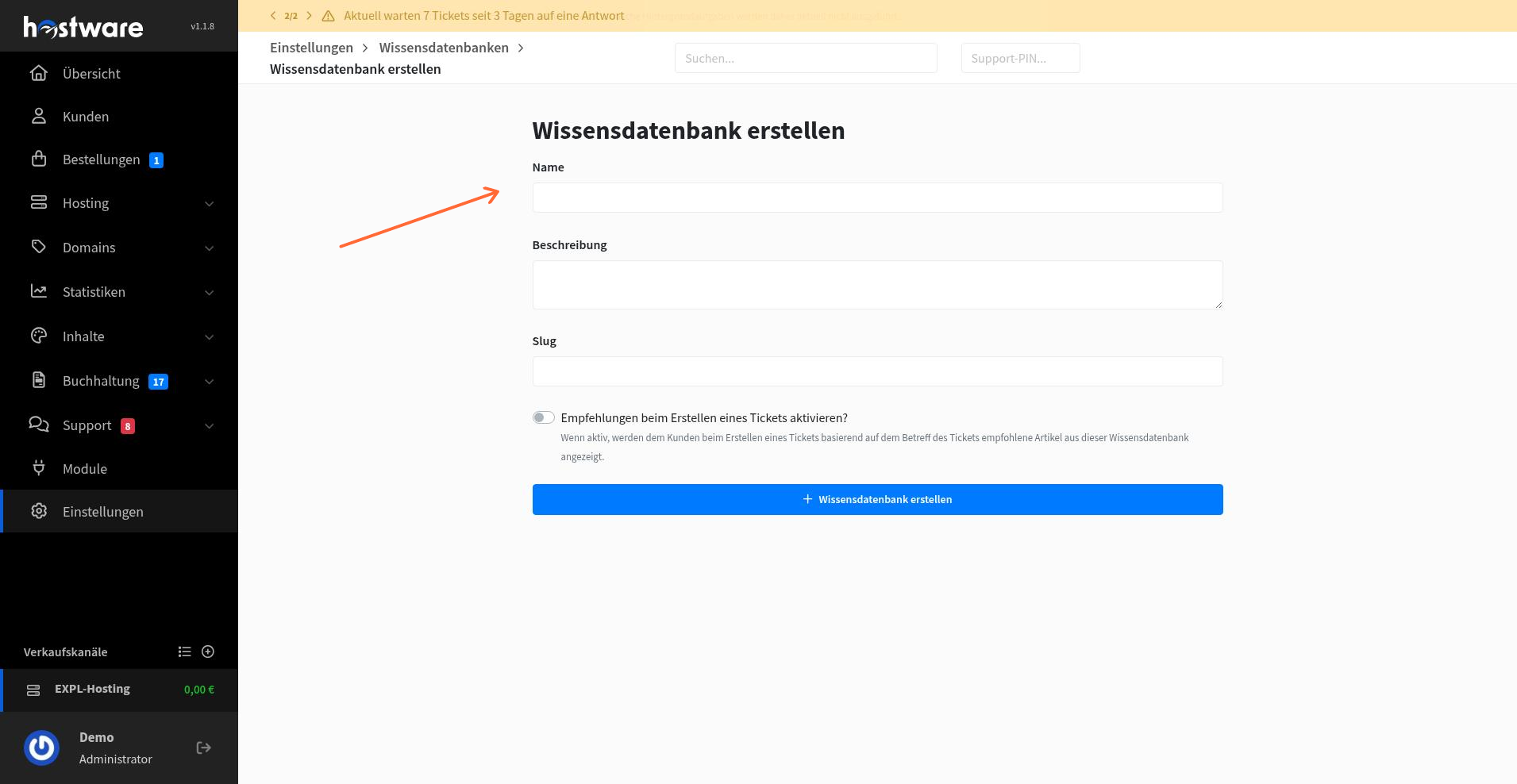
The edit form lets you set the knowledge base name, description, and slug.
Manage articles and categories
Knowledge base content is managed separately from the knowledge base types themselves. In the content area, you can manage articles and categories through two tabs:
Einträge — articles and help content
Kategorien — topic categories
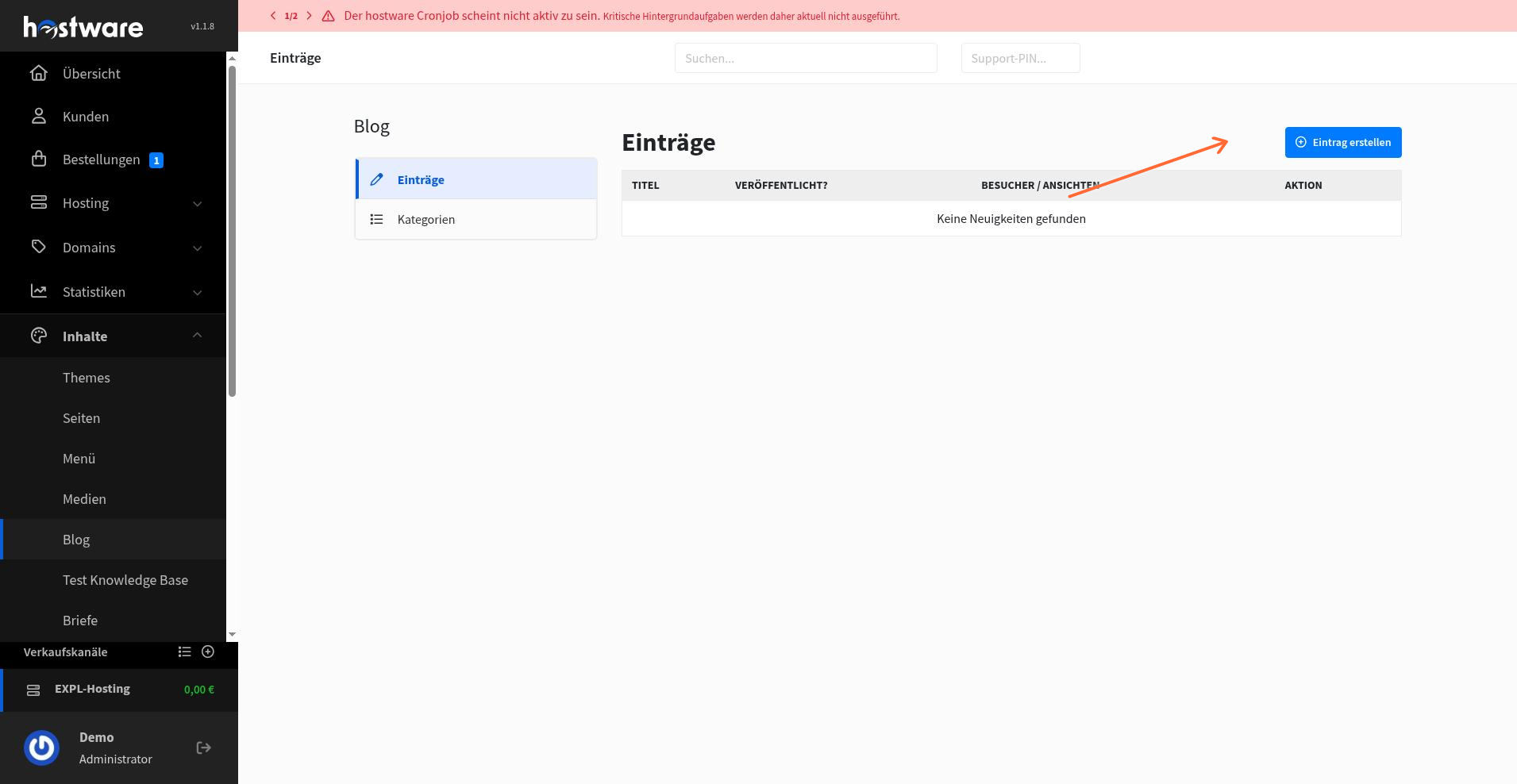
Click Eintrag erstellen to add a new article to the knowledge base.
Connect an external knowledge base
You can extend ticket recommendations to include articles from an external knowledge base. Hostware currently supports GitBook.
Go to Settings > KnowledgeBases > External knowledge base search and fill in the credentials:
Username — for GitBook, enter your Space-ID
Password / API Key — for GitBook, enter your API Key
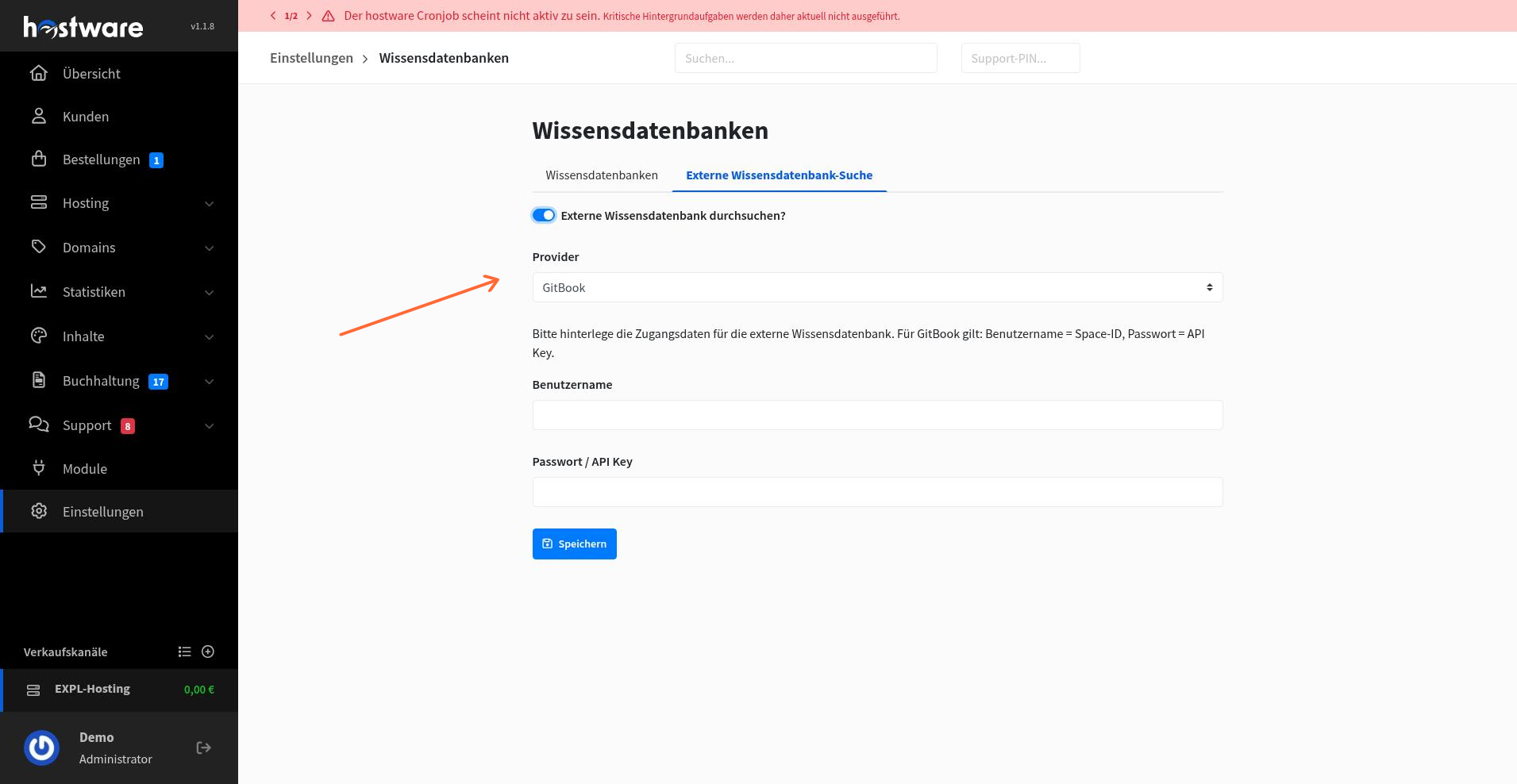
Enable the external search to start including up to 5 matching articles from your external knowledge base in ticket recommendations.
Learn more about the Hostware ticket system
Publish and schedule articles
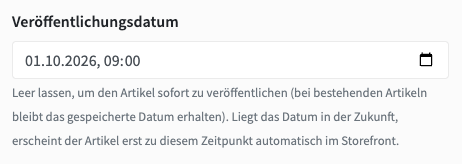
Articles carry a release date, and one is public only once it is marked published and that date has passed. You can schedule an article in advance — it goes live automatically when its date arrives.
A scheduled post stays out of the listing, the year archive, and ticket recommendations, and its URL returns a 404 until release. The admin overview shows three states (draft, scheduled, published), and an article can be credited to an author picked from the admin users.
Preview before publishing
Because drafts and scheduled posts aren't publicly visible, you can't see how an article looks before it's published. Drafts and scheduled posts now get a shareable preview link that renders the real page for two weeks. In the admin panel this appears as a Vorschau öffnen button with a copyable link.
Preview views aren't counted in the statistics and the page is served noindex, so reviewing an article doesn't inflate its numbers or risk it turning up in Google half-finished.
Article display
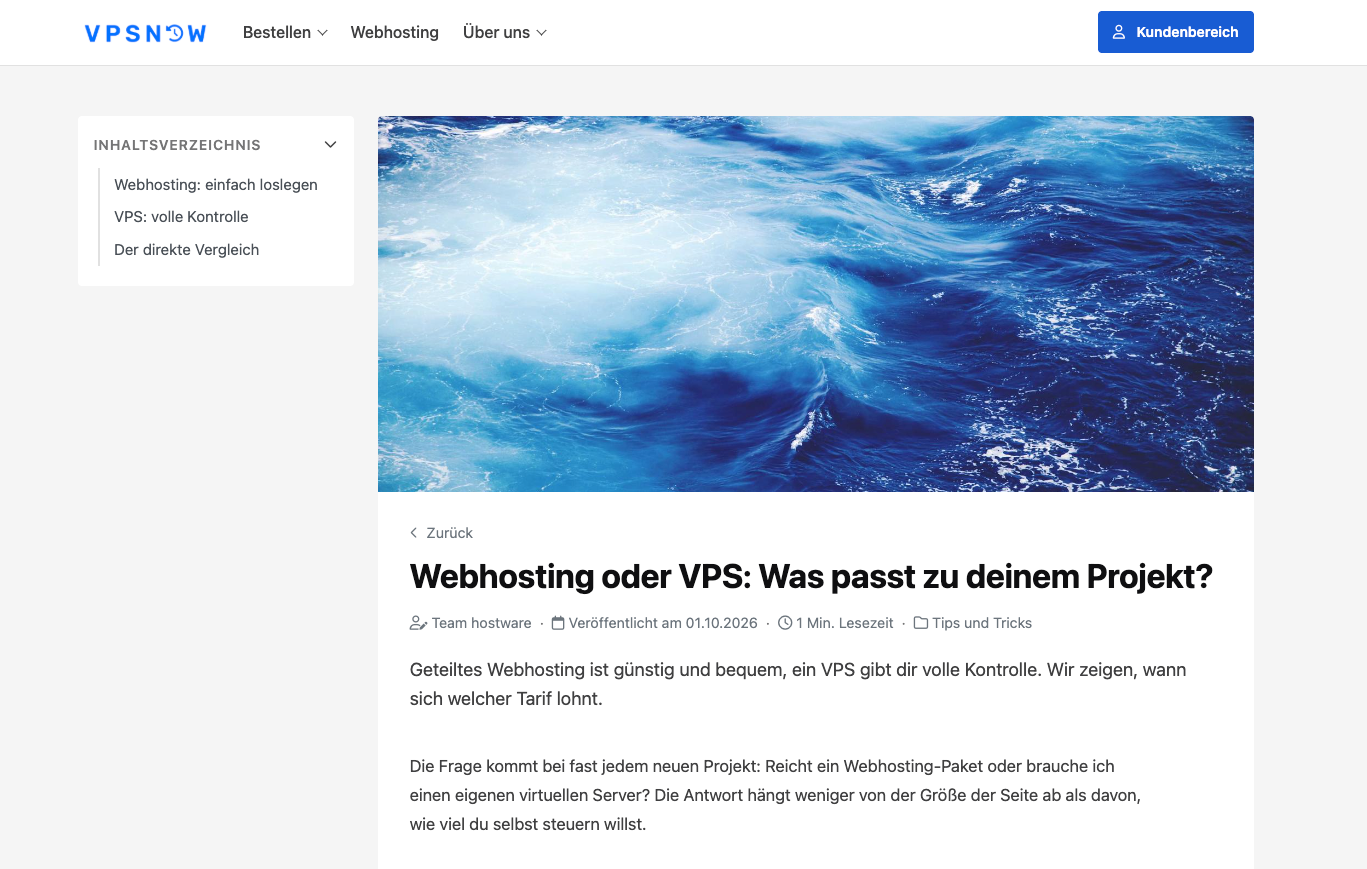
Articles now build their own table of contents: every heading becomes an anchor and a nested list readers can jump from. Nothing is stored for this, so existing articles get it automatically, and editing a heading never leaves a dead anchor.
Articles can have a header image picked from the media manager (a URL field is also available) and a short description that appears on the overview and above the article body — when left empty, the page shows the truncated body.
The meta line under the headline shows the author, reading time, and category. Related articles at the bottom prefer posts from the same category.
Article URLs
The article slug is stable after creation and only changes when you change it deliberately.