
Product options
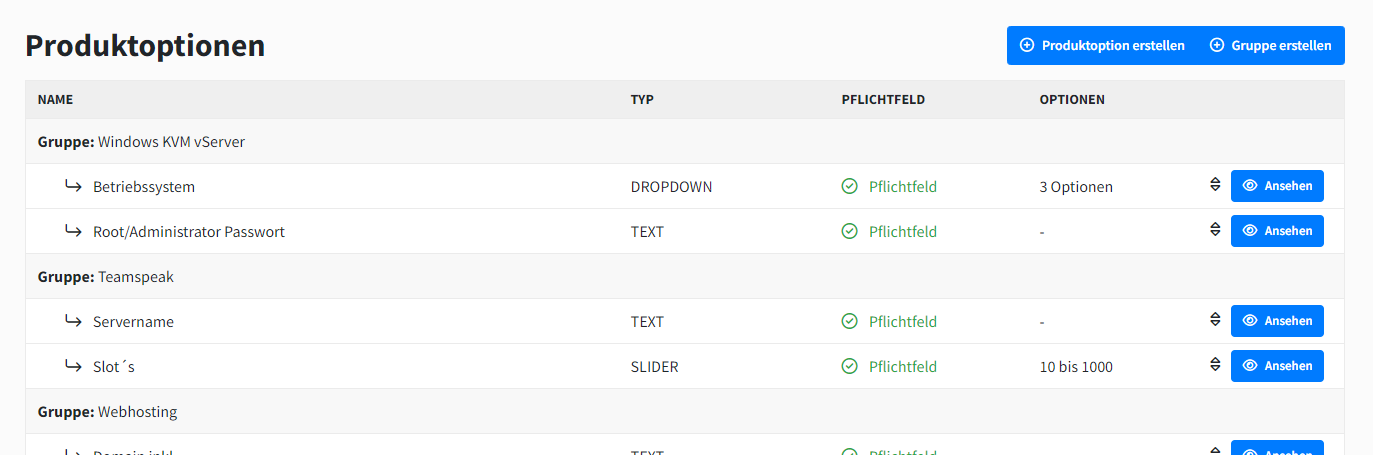
Product options are a powerful way to offer your customers configuration options. Product options can be used in multiple products and can directly override the module settings of the product. This lets you set up e.g. VPS configurators and more.
Grouping
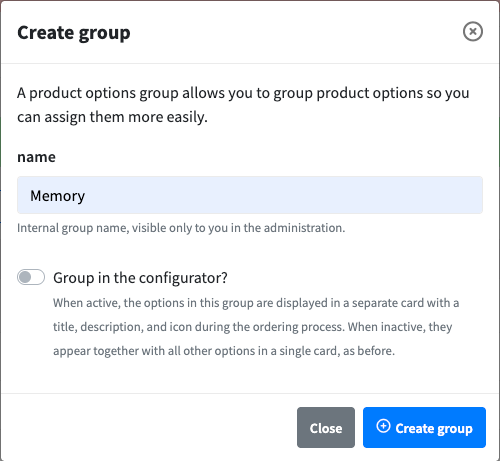
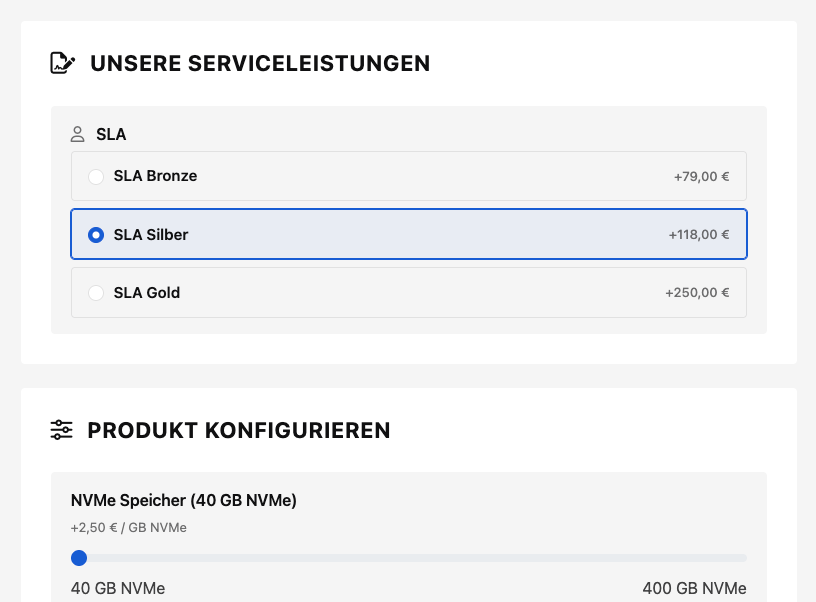
Product options can be grouped in the configurator. When grouping is enabled for a group, it is displayed in the configurator as its own card with a headline, description, and icon. Groups without grouping enabled show their options together in the "Configure product" card.
Configure grouping
Under Administration → Hosting → Product options, "Create group" or "Edit group" opens the form with the required Name field and the "Group in configurator?" switch. The switch reveals the Display name, Description, and Icon fields; Display name and Description are optional, and you pick the icon from the Font Awesome picker with a live preview. Creating and editing groups requires the product option group ACL permission.
Groups with grouping enabled are marked with a green badge in the group list and in a product's Product options tab.
Display in the configurator
Each enabled group is rendered in the storefront and admin configurator as its own card, with the icon and display name as the headline and the description underneath. If no display name is set, the group name is shown; without an icon, "sliders" is used. Display name and description are not translated and apply in all languages.
Create product option
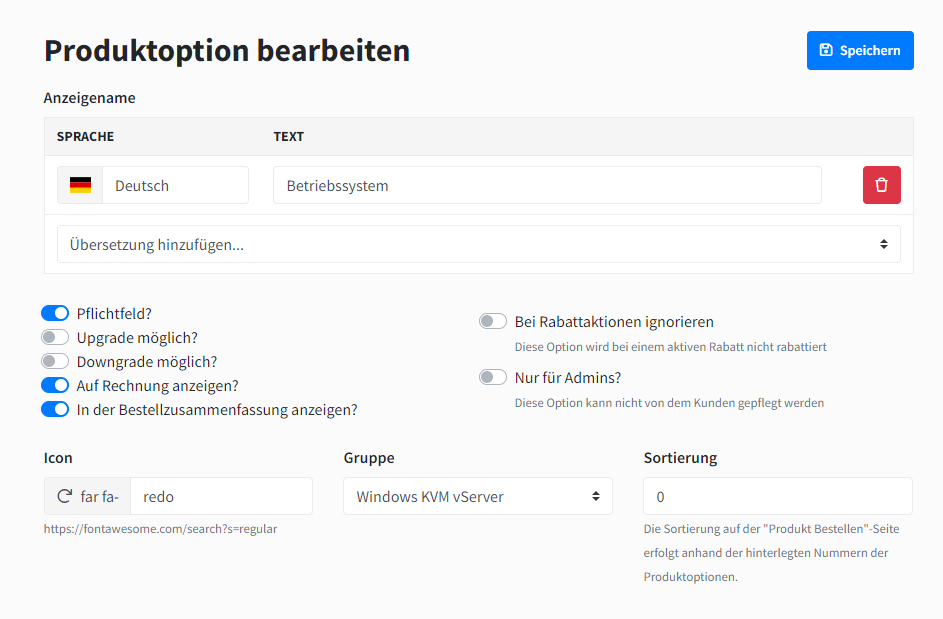
You can create product options with minimal properties. After creation, you will be automatically redirected to the editing view, where you can fully configure the product option.
As long as the product option has not been explicitly assigned to a product, it is not visible to the end customer.
Edit product option
General settings
Give the product option a name that will be displayed to the end customer during the ordering process. You can also customize the product option with various properties.
Different types
Text
The customer has a text input. Define the minimum and maximum length.
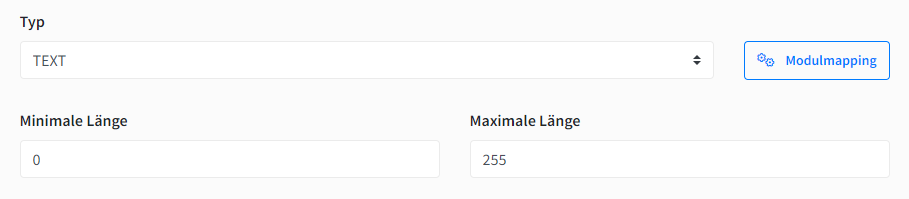
We can make this product option to be validated as a URL. If the given value is not a URL, a warning is shown to the customer:

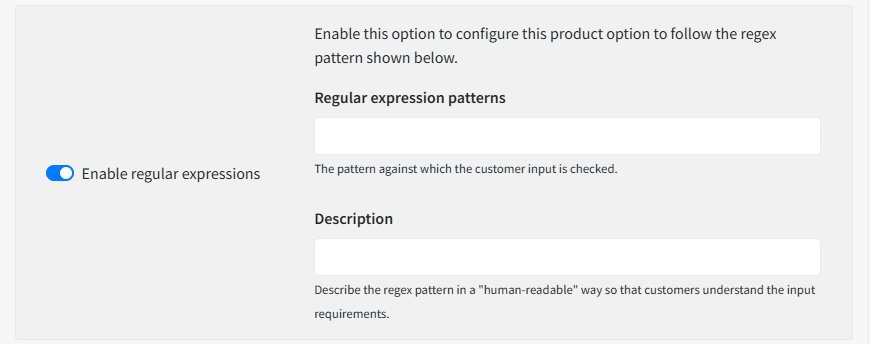
Similarly, we can make the field value to validate to a certain Regex pattern which you define:
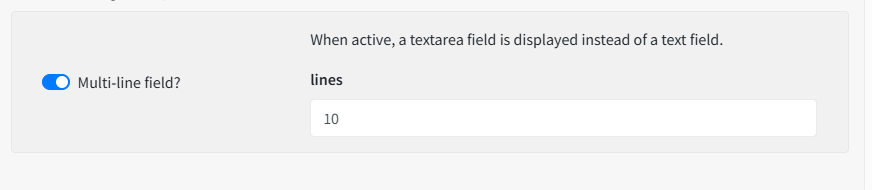
Product options of text type can also be defined to display as a textarea with a certain number of lines defined by you, as you can see below:
Number, Slider
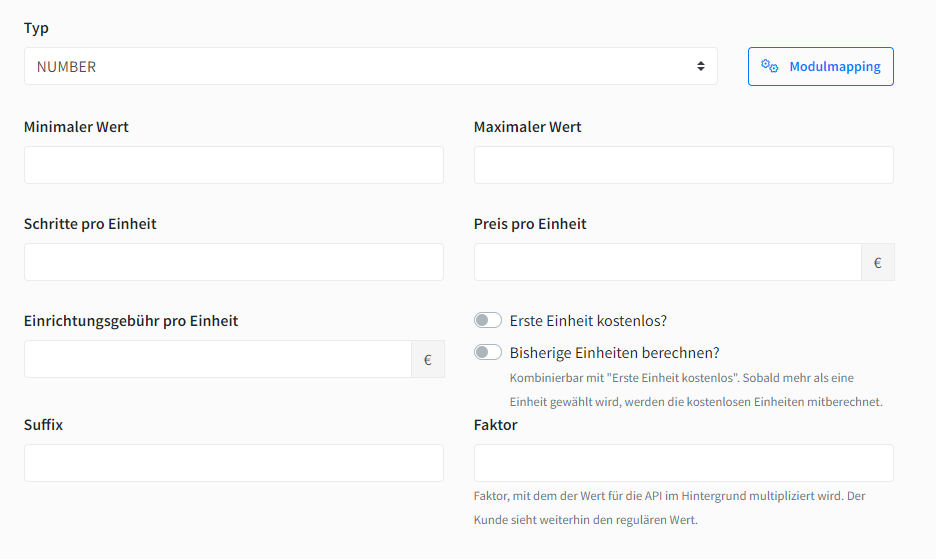
The customer has a number field. Define the minimum and maximum number as well as the increments. You can define a price and setup price per unit and the calculation and display with additional settings.
Checkbox, Radio, Dropdown
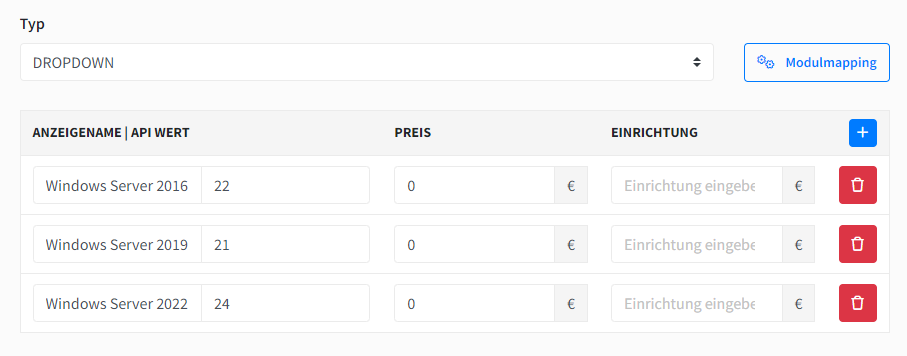
You can create multiple options and delete them again. Each option has a display name and API value. The latter is transferred to the module as a technical value. (e.g., display: 1 GB DDR5 RAM, API value: 1024)
Assign
You can assign the product options in the settings for the respective product.