
Fraud check
Hostware's built-in fraud check screens every new order before release. Since v1.1.6, you can configure a fraud provider such as FraudLabs Pro in the admin settings. Each new order is automatically checked and then approved, rejected, or marked for manual approval depending on a defined threshold.
Configure a fraud provider
Configure the fraud provider in the admin settings. The configuration form has a username field and a password field. FraudLabs Pro uses a single API key — enter it in the password field. A defined threshold determines whether checked orders are approved, rejected, or flagged for manual approval.
What is checked and when
When an order is placed, the customer's IP address and customer data are transmitted to the configured fraud provider. Only new orders are checked — existing or recurring orders are not re-evaluated.
As soon as an order is received, FraudCheck runs in the background before the order is released. The order is not released immediately despite receipt of payment; it moves to the status "Waiting for fraud check".
Open orders are checked in the background every 5 minutes.
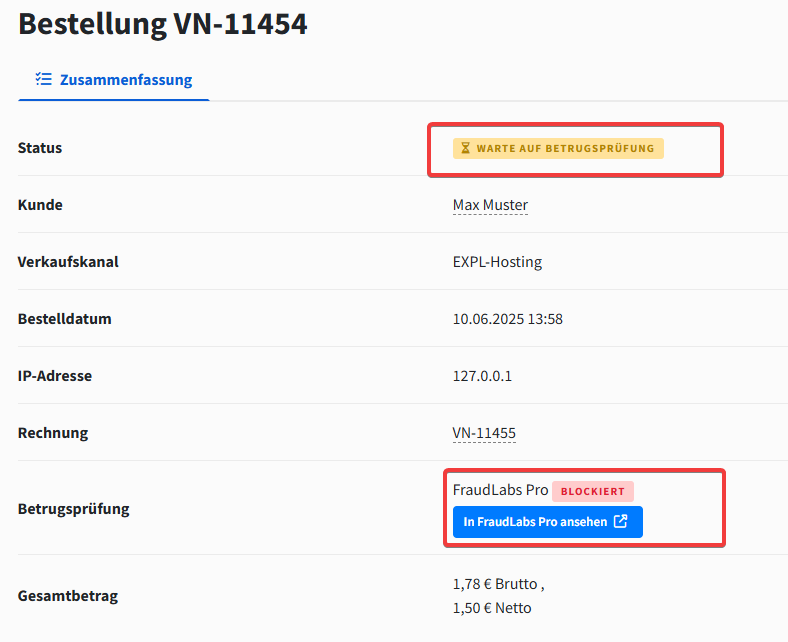
Fraud check outcomes
The fraud check returns one of three results, each of which moves the order to a different status:
Approved — the order is provisioned automatically.
Manual approval — the order changes to "Wait for approval" status and must be activated manually by an admin.
Fraud — the order changes to "Fraud" status and will not be processed further.
If an order is stuck in "Waiting for fraud check" and you want to re-run the check, use the "Repeat fraud check" action in the order detail view. See Manage orders for the full order-status reference.
Refunds and cancellations of invoices that have already been paid must be carried out manually on your accounting software.