# Mahnwesen
The dunning process in hostware helps you collect outstanding invoices automatically. You can define which actions should be performed using freely definable dunning levels. This means that not only emails can be sent, but also letters, or Inkasso procedures can be initiated.
## Mahnstufen einrichten
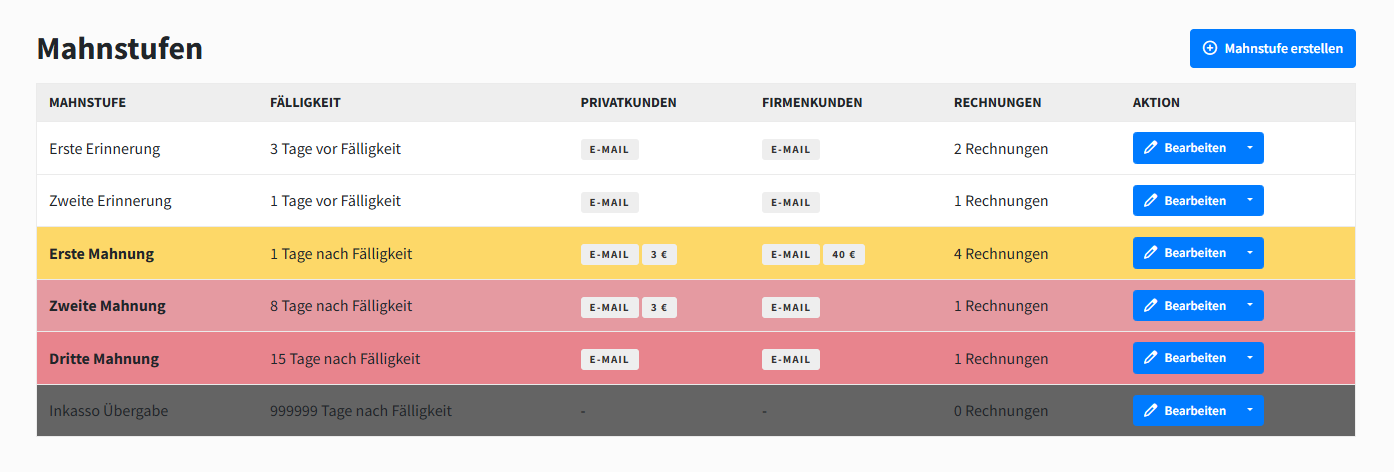
To use the dunning process, you must first configure and activate the dunning levels under *`Settings -> Dunning Levels`*. You can set the number and type of dunning levels as you wish. The overview could look like this:
{% stepper %}
{% step %}
### General information
Define the name, an optional color, and text thickness for the reminder level. These are used for cosmetic display in the admin and customer areas.
{% endstep %}
{% step %}
### Trigger
Specify the time at which this reminder level should be triggered. For example, you can send payment reminders before the invoice due date and reminders after\
the invoice due date.
Optionally, the reminder level can be temporarily deactivated.
{% endstep %}
{% step %}
### Dunning details
The following properties can be maintained separately for private and corporate customers, as there are largely different legal options here.
Certain dunning levels can be activated either for B2B only, for B2C only, or for both.
#### Mahngebühr
You can define a percentage-based or fixed reminder fee to be added to the invoice. The invoice/PDF that has already been generated will of course remain unchanged; the reminder fees are payable in addition.
{% hint style="warning" %}
Please note: You cannot legally charge reminder fees of any amount; please inform yourself.
{% endhint %}
#### E-Mail
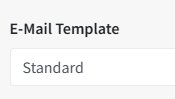
Also define the email template that is to be sent. You can choose the standard template or your own template.
#### Letter
You can also send a letter for this reminder level. To do this, you can activate a letter template that is sent automatically. The original invoice/PDF is attached to the letter. The first shipping type (normal letter) is selected from the letter connection.
#### Inkasso
Activate the collection transfer to automatically transfer an invoice to the selected Inkasso agency when this reminder level is reached.
{% endstep %}
{% endstepper %}
## Disable dunning
{% tabs %}
{% tab title="Global" %}
To suspend the dunning process for the entire hostware instance, navigate to the dunning levels and uncheck the box "Dunning level active?".
{% endtab %}
{% tab title="For single customers" %}
To deactivate dunning for selected customers, check the box "Deactivate dunning?" in the customer view.
{% endtab %}
{% endtabs %}