
Add module configuration
hostware offers a great way to provide visual configuration to the administrator. Therefore, each module may has a config.xml file in the base directory of your module.
You may think that xml is bad, old and not recommended anymore. However, it actually has some pretty cool advantages such as self-validation and is very easy to write.
Schema
Each config is separated into tabs, which then contain input fields. You should separate those input fields using deviders for better readability for the administrator. An example:
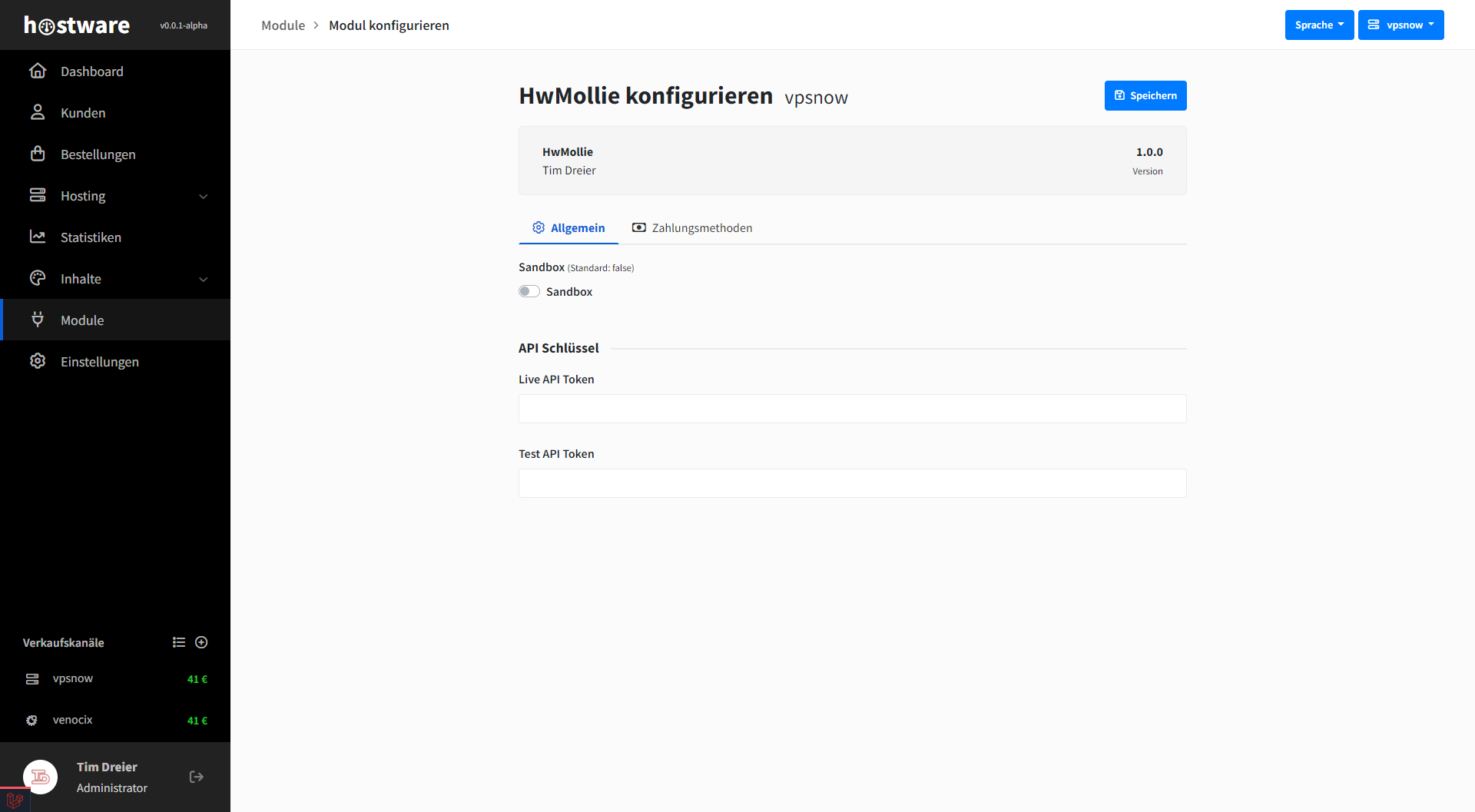
Tabs in your configuration
In the simple syntax of the config.xml file you define tabs on the first layer. Every tab then may contain input fields.
<?xml version="1.0" encoding="UTF-8"?>
<config xmlns:xsi="http://www.w3.org/2001/XMLSchema-instance"
        xsi:noNamespaceSchemaLocation="">

    <tab>
        <title>General</title>
        <title lang="de-DE">Allgemein</title>
        <icon>far fa-gear</icon>

    </tab>
</config>
As you can see throughout the entire config.xml scheme, every title or label may me translated using the lang attribute. An element without a lang attribute is always in english an will be displayed as fallback if no other element is provided. You can also provide a FontAwesome icon to display in front of the label. h0stware uses the regular icon type.
Input fields
You can create input fields with different types to save and display config values. Those fields will be rendered to the administrator automatically. Every input field has a name, which is used to store and retrieve the value later on. You may set a defaultValue which will be created during module installation.
Available types:
Type | Renders |
|---|---|
number | Number field |
text | Text field |
bool | Toggle switch |
multi-select | Dropdown |
<?xml version="1.0" encoding="UTF-8"?>
<config xmlns:xsi="http://www.w3.org/2001/XMLSchema-instance"
        xsi:noNamespaceSchemaLocation="">

    <tab>
        <title>General</title>
        <title lang="de-DE">Allgemein</title>
        <icon>far fa-gear</icon>

        <input-field type="number">
            <name>minVmId</name>

            <label>Minimum VM ID</label>
            <label lang="de-DE">Kleinste VM ID</label>

            <helpText>Start of the incremental VM ID range which is used for vm creation</helpText>
            <helpText lang="de-DE">Beginn des inkrementellen VM-ID-Bereichs, der für die VM-Erstellung verwendet wird
            </helpText>

            <defaultValue>500</defaultValue>
        </input-field>

        <input-field type="multi-select">
            <name>vga</name>

            <label>Display type</label>
            <label lang="de-DE">Display Typ</label>

            <helpText>Display type which is set to the vm</helpText>
            <helpText lang="de-DE">Display, welches der VM gesetzt wird</helpText>


            <options>
                <option>
                    <id>default</id>
                    <name>default</name>
                </option>
                <option>
                    <id>serial0</id>
                    <name>Serial</name>
                </option>
            </options>
        </input-field>


        <devider>
            <label>Storage</label>
            <label lang="de-DE">Speicher</label>
        </devider>


        <input-field type="text">
            <name>disk.vm</name>

            <label>Disk for VMs</label>
            <label lang="de-DE">Disk für VMs</label>

            <defaultValue>local</defaultValue>
        </input-field>

        <input-field type="bool">
            <name>vnc.enabled</name>

            <label>VNC enabled?</label>
            <label lang="de-DE">VNC aktivieren?</label>
        </input-field>
    </tab>
</config>
Deviders
To provide better readability for the administrator, you may want to insert deviders to provide a better structure. A devider is simple xml structure which looks and results as following:
<devider>
    <label>API key</label>
    <label lang="de-DE">API Schlüssel</label>
</devider>